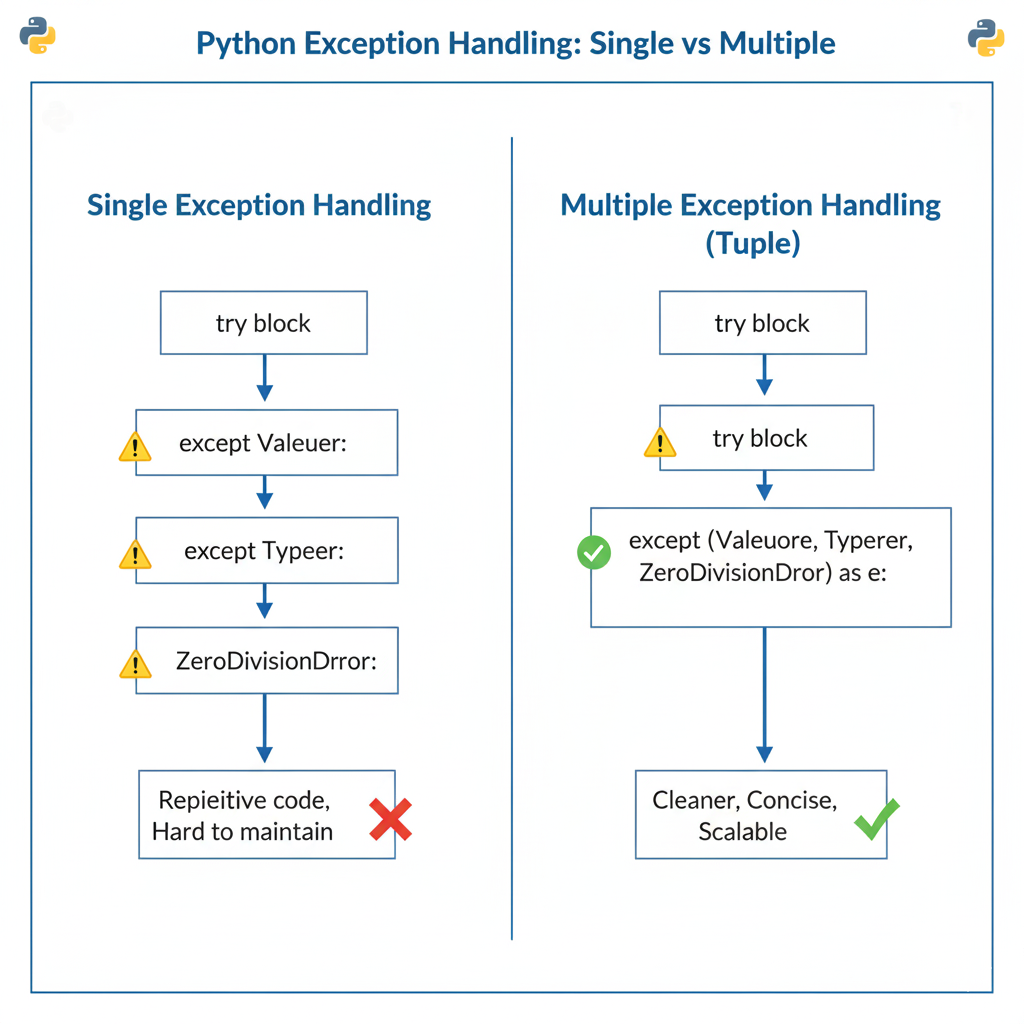
You can catch multiple exceptions in Python by grouping them inside a tuple in a single except block. This approach reduces repetitive code and makes error handling cleaner and more maintainable.
Modern Python applications interact with files, APIs, and databases—each capable of raising different exceptions. Handling them efficiently is critical for building reliable, production-ready software without cluttering your codebase.
Key Takeaways of Catch Multiple Exceptions in Python
- Tuple-based exceptions → Handle multiple errors in one block
- Cleaner code → Avoid repetitive
exceptstatements - Better debugging → Centralized error handling
- Industry standard → Used in real-world Python applications
What Does Catching Multiple Exceptions in Python Mean?
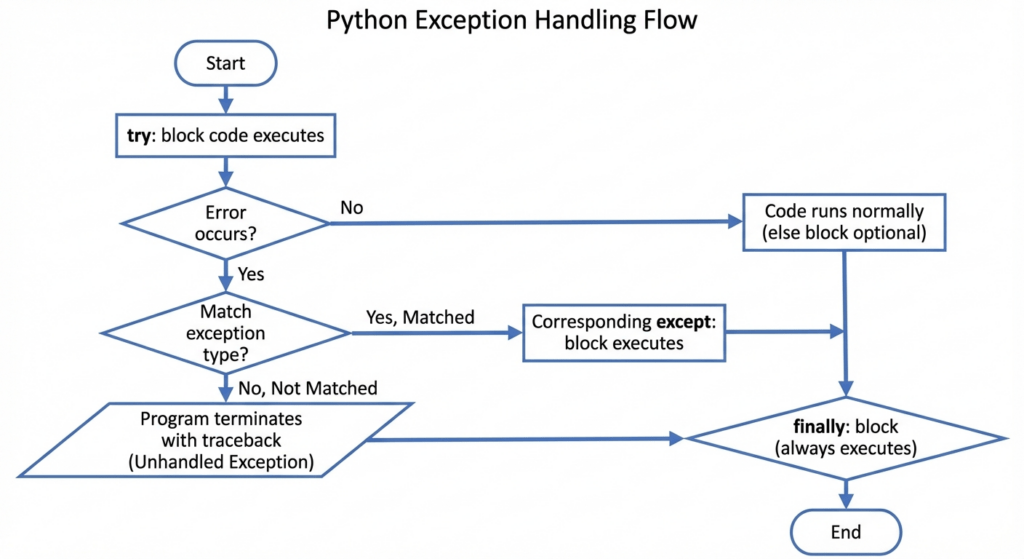
Exception handling in Python allows your program to respond gracefully when errors occur instead of crashing. These errors are handled using the try and except blocks.
Catching multiple exceptions means handling more than one possible error that may arise from a single operation. For example, user input, file reading, or API data parsing can fail in different ways but still require a similar response.
How Do You Catch Multiple Exceptions in Python Using a Tuple?
Python allows you to catch multiple exceptions by placing them inside a tuple in a single except block.
Syntax
try:
    # risky code
except (Exception1, Exception2):
    # handle exceptions
The tuple tells Python to execute the except block if any one of the listed exceptions occurs. This approach reduces repetitive code and improves readability.
Example: Catch Multiple Exceptions in Python Using a Tuple
Below is a simple example that handles both ValueError and TypeError using a tuple:
try:
    number = int(input("Enter a number: "))
    result = 10 + number
    print(result)
except (ValueError, TypeError):
    print("Invalid input. Please enter a valid number.")
Output
- If the user enters a string → handled as
ValueError - If the input type is invalid → handled as
TypeError
Instead of crashing, the program displays a helpful message.
When Should You Use Tuple-Based Exception Handling?
Tuple-based exception handling is best used when multiple exceptions require the same handling logic.
Common Use Cases
- Input validation →
ValueError,TypeError - File handling →
FileNotFoundError,PermissionError - API responses →
KeyError,JSONDecodeError - Type conversions →
TypeError,ValueError
This method keeps your code concise and easier to maintain.
What Happens If an Exception Is Not in the Tuple?
If an exception occurs that is not included in the tuple, Python will not catch it.
Result
- The program terminates immediately
- A traceback error is displayed
- Remaining code is not executed
To prevent this, you can:
- Add additional exceptions to the tuple
- Use a separate
exceptblock - Use a general
except Exception:as a fallback (with caution)
Handling Multiple Exceptions
python
try:
    # Some code that may raise different exceptions
    result = 10 / 0
    print(int('not_a_number'))
except (ZeroDivisionError, ValueError) as e:
    print(f"An error occurred: {e}")
Explanation of the Code
In this code snippet, we’re handling situations where multiple errors might occur due to invalid operations. Here’s a breakdown:
- We use a
tryblock to wrap the code that’s prone to raising exceptions. Our first risky operation is10 / 0. This doesn’t fly in Python because dividing by zero is mathematically undefined. This shoots us aZeroDivisionError. - The next line tries to convert the string
'not_a_number'into an integer withint('not_a_number'). Surprise, surprise—it can’t do that and throws aValueError. - We cleverly use an
exceptblock to catch and handle these exceptions. Grouped together,ZeroDivisionErrorandValueErrorare caught ase. - When any of these errors pop up, the program doesn’t crash. Instead, it coolly prints out, “An error occurred: {e}”, telling us what went wrong.
Output
An error occurred: division by zeroComparison of Catch Multiple Exceptions in Python
Single Exception vs Multiple Exceptions (Tuple)
| Feature | Single Exception | Tuple Exceptions |
|---|---|---|
| Code Length | Longer | Shorter |
| Readability | Lower | Higher |
| Scalability | Limited | High |
| Best Practice | ❌ | ✅ |
Learn Catch Multiple Exceptions in One Line in Python, Now!
Real-Life Applications of Catching Multiple Exceptions in Python
- E-commerce Transactions (Amazon)
Amazon handles millions of transactions every day. To ensure smooth payment processes, they use multiple exceptions catching to manage potential errors like connection timeouts or invalid payment details.
Output:try:
process_payment()
except (ConnectionTimeoutError, InvalidPaymentDetailsError) as e:
log_error(e)
send_alert_to_user()
By catching exceptions efficiently, Amazon reduces unsuccessful payment issues, enhancing customer satisfaction through quick error resolution. - Data Processing (Spotify)
Spotify analyzes streaming data in real-time. With diverse data sources, issues like missing or corrupt data are common. Catching various exceptions ensures seamless data processing without abrupt interruptions.
Output:try:
process_streaming_data()
except (MissingDataError, CorruptDataError) as e:
handle_data_error(e)
continue_processing()
This allows Spotify to maintain music streaming without service dips, ensuring users enjoy a consistent experience. - User Authentication (Facebook)
Facebook uses multiple exception catching for user authentication processes, handling issues like invalid passwords or expired tokens gracefully.
Output:try:
authenticate_user()
except (InvalidPasswordError, ExpiredTokenError) as e:
prompt_user_for_confirmation(e)
The use of multiple exceptions helps Facebook maintain security standards while reducing user login frustrations.
Catch Multiple Exceptions in Python: Interview Questions
- What is the difference between catching multiple exceptions using a tuple and using multiple except blocks?
Catching multiple exceptions using a tuple allows you to handle several exceptions with a single piece of code. In contrast, using multiple except blocks lets you handle each exception with specific code. Here’s an example using a tuple:
try:
    # risky code
except (ValueError, KeyError) as e:
print(f"Handled error: {e}") - Can I catch all exceptions in Python? If so, how?
Yes, you can catch all exceptions by using the broadest exception class, which isExceptionor simply by catchingBaseException. However, use this sparingly as it may hide bugs.
try:
    # risky code
except Exception as e:
print(f"Generic error caught: {e}") - How can I catch and handle exceptions specific to a particular module?
Import the module first, then catch exceptions raised within that module. For instance, for HTTP requests:
import requests

try:
    response = requests.get('http://example.com')
except requests.exceptions.RequestException as e:
print(f"Request failed: {e}") - Is it possible to re-raise a caught exception in Python? Why would you do this?
Yes, you can re-raise an exception usingraisewithout specifying the error type. This might be useful to log an error before terminating or passing it to another handler.
try:
    # risky code
except ValueError as e:
    log_error(e)
raise - How does the ‘else’ block work in exception handling?
The ‘else’ block runs if no exceptions are raised in the try block, providing further actions that should only be executed upon successful execution of try.
try:
    result = 10 / 2
except ZeroDivisionError:
    print("Division by zero!")
else:
print("Success, result is", result) - What is the purpose of the ‘finally’ block in exception handling?
The ‘finally’ block is used to execute code that must run regardless of whether an exception occurred. It’s often used for cleanup actions like closing files or releasing resources.
try:
    file = open('test.txt', 'r')
except FileNotFoundError:
    print("File not found!")
finally:
file.close() - How can I create custom exceptions in Python?
Create a custom exception by subclassing Exception and adding any additional functionality needed.
class CustomError(Exception):
    pass

try:
    raise CustomError("This is a custom exception")
except CustomError as e:
print(e) - Can I catch both Python built-in and custom exceptions in a single block?
Yes, use a tuple in the except clause to catch multiple built-in and custom exceptions.
try:
    potentially_failing_code()
except (ValueError, CustomError) as e:
print(f"An error occurred: {e}") - How do I ignore exceptions without stopping program execution?
You can ignore exceptions by using a bare except block or logging errors without taking any action. This isn’t recommended unless you’re sure of the safety.try:
# risky code
except:
pass
Imagine a world where coding becomes a breeze! With our AI-powered python online compiler, you can write, run, and test your code instantly. No more waiting around. Our tool streamlines your coding process, making programming faster and more efficient. Dive in and see for yourself!
Conclusion
“Catch Multiple Exceptions in Python” empowers you to handle errors elegantly, offering a smoother, more robust coding experience. Mastering it boosts your coding confidence. Ready to learn more and level up your skills? Check out Newtum for resources on Java, C, C++, and more programming languages.
Edited and Compiled by
This article was compiled and edited by @rasikadeshpande, who has over 4 years of experience in writing. She’s passionate about helping beginners understand technical topics in a more interactive way.
About The Author