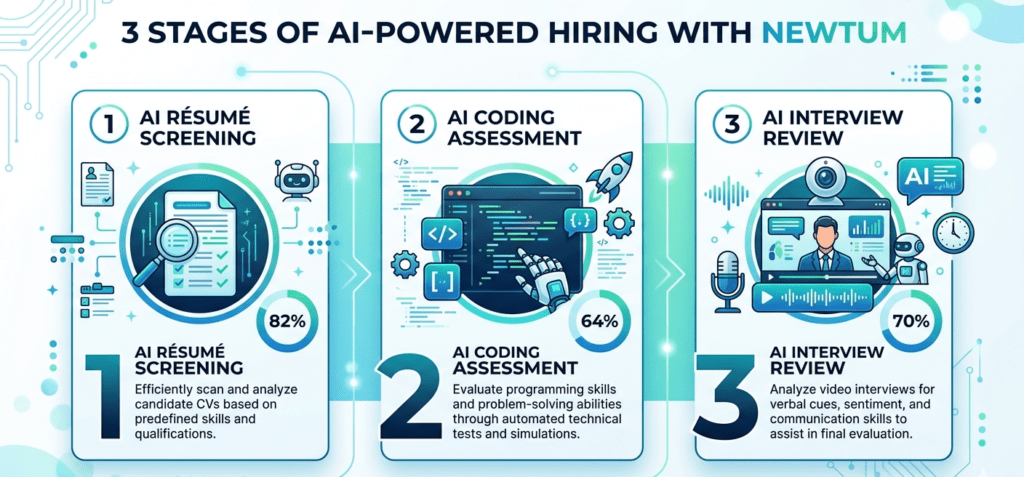
Here is a number that should make every aspiring developer stop and think: by 2026, around 70% of businesses use AI in their hiring process, with 82% relying on it to sift through résumés and 64% using it to review candidate assessments. For freshers, this means your first interaction with a company is almost certainly with an AI – not a human.
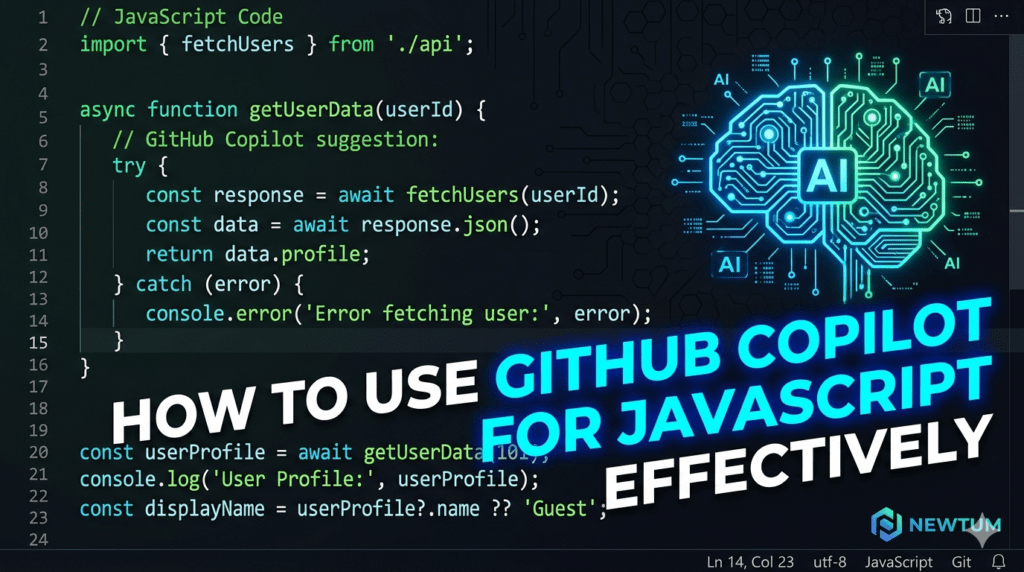
In this reality, knowing how to work alongside AI tools is no longer optional. It is survival. And one of the most powerful AI tools reshaping how developers write code today is GitHub Copilot for JavaScript. Whether you are building your portfolio, preparing for technical assessments, or trying to write production-ready code faster, using GitHub Copilot for JavaScript effectively can give you a measurable edge. This guide breaks down exactly how.
What Is GitHub Copilot and Why Does It Matter for JavaScript Developers?
GitHub Copilot is an AI-powered code completion tool built by GitHub in collaboration with OpenAI. It integrates directly into your code editor and suggests entire lines, functions, and even full blocks of code in real time – based on context, comments, and your coding patterns.
For JavaScript developers specifically, this is a game-changer. JavaScript is one of the most popular languages in the world, but it is also notoriously verbose — from writing async/await handlers to structuring complex React components. GitHub Copilot for JavaScript dramatically reduces the cognitive load of remembering syntax, so you can focus on logic and architecture instead.
Think of it less like autocomplete and more like a senior developer sitting next to you, offering suggestions – which you can accept, modify, or ignore.
Setting Up GitHub Copilot in Your JavaScript Environment
Before you start coding with Copilot, you need to set it up correctly:
- Subscribe to GitHub Copilot – available free for students via GitHub Education.
- Install the extension in VS Code (search “GitHub Copilot” in Extensions).
- Sign in with your GitHub account and authorize the tool.
- Open any .js or .jsx file and start typing – Copilot suggestions will appear automatically in grey ghost text.
- Press Tab to accept a suggestion, or Esc to dismiss it.
That’s it. You are ready to use GitHub Copilot for JavaScript in your daily workflow.
5 Smart Ways to Use GitHub Copilot for JavaScript Effectively
1. Write Descriptive Comments First
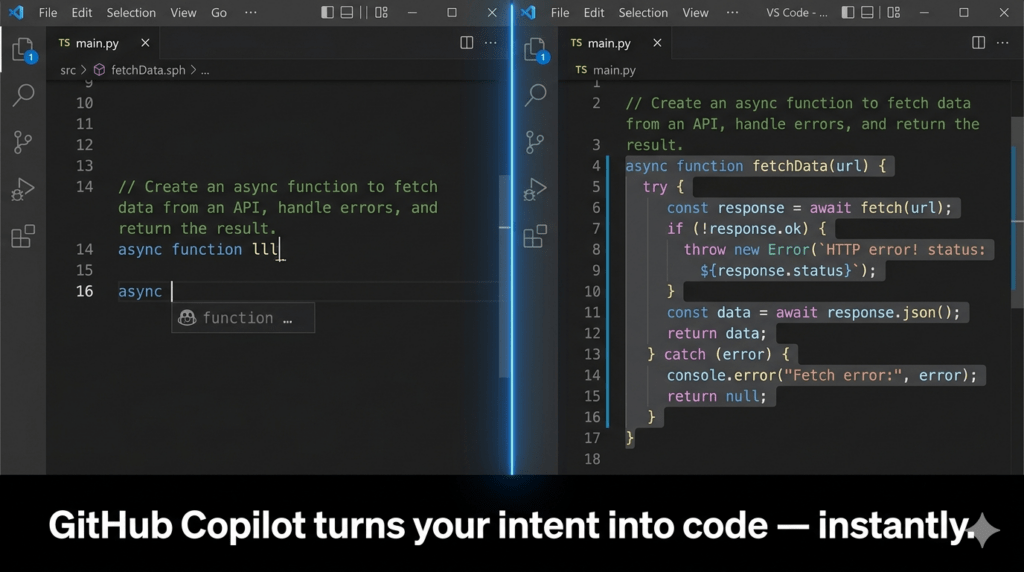
Copilot reads your comments to generate code. Instead of writing code and adding comments later, reverse the process. Write a clear comment like // fetch user data from API and handle errors gracefully, and let Copilot generate the function. This trains you to think architecturally, not just syntactically.
2. Use It to Write Boilerplate Faster
JavaScript projects are full of repetitive patterns – Express routes, fetch calls, event listeners, and form validations. Using GitHub Copilot for JavaScript to handle boilerplate frees you to focus on the unique logic of your application. This is especially useful during hackathons or timed technical tests.
3. Refactor and Debug with Context
Highlight a buggy or messy function, add a comment like // refactor to use async/await, and Copilot will suggest a cleaner version. This is excellent for learning best practices in real time, not just from documentation.
4. Generate Test Cases Automatically
Testing is where many junior developers fall short. Use GitHub Copilot for JavaScript to auto-generate Jest or Mocha test cases by typing // write unit tests for the above function. This habit alone will make you stand out in technical interviews and AI-assessed coding rounds.
5. Learn by Comparing Suggestions
Do not always accept the first suggestion. Press Alt + ] to cycle through multiple Copilot suggestions for the same prompt. Comparing them helps you understand different approaches — a habit that builds genuine expertise, not dependency.
Common Mistakes Developers Make with GitHub Copilot
Using GitHub Copilot for JavaScript effectively means knowing its limits too.
- Blindly accepting suggestions without reading them leads to security vulnerabilities and subtle bugs. Always review before you commit.
- Over-relying on Copilot for understanding. If Copilot writes a function you cannot explain, you have not learned — you have just borrowed. AI-generated code you cannot defend is a liability in technical interviews.
- Ignoring context length. Copilot works best when your file has clear structure and context. Messy, uncommented code produces mediocre suggestions.
- Not customizing with comments. Vague prompts produce vague code. The more specific your comments, the more accurate the suggestions.
The best developers use GitHub Copilot for JavaScript as a force multiplier – not a replacement for thinking.
How AI Tools Like GitHub Copilot Are Changing the Hiring Process
The same AI revolution powering tools like Copilot is transforming hiring pipelines. Companies are now deploying AI to screen not just résumés, but technical competency itself. Automated coding assessments – timed, context-aware, and increasingly adaptive — are becoming the standard first filter for developer roles.
For a fresher, this shift is profound. You will not just be judged on whether your code works, but on how you approach problems, your code structure, test coverage, and even readability. These are precisely the skills that working with GitHub Copilot for JavaScript daily will sharpen — if you use it intentionally.
How Newtum’s AI Assessment Tool Prepares You for AI-First Hiring
Knowing how to code is no longer enough. You need to know how to perform under conditions that mirror AI-assessed environments. This is exactly why Newtum is launching its own AI Assessment Tool – designed to simulate the exact kind of AI-evaluated coding challenges that companies use to filter candidates in 2026.
The tool gives you practice rounds that test real-world JavaScript problem-solving, provides instant AI-driven feedback on your code quality, and tracks your improvement over time. Think of it as your rehearsal stage before the real AI audition begins.
Pairing GitHub Copilot for JavaScript with Newtum’s AI Assessment Tool creates a powerful preparation loop: use Copilot to learn and build faster, then test your actual skills under pressure with Newtum’s platform, so you walk into every hiring process ready for whatever AI throws at you.
Conclusion
The developer hiring landscape in 2026 is fundamentally AI-driven. The good news? So are the tools available to help you succeed. GitHub Copilot for JavaScript is not just a coding shortcut; it is a learning partner, a productivity booster, and increasingly, a skill that employers themselves expect you to use well.
Start with comments. Review every suggestion. Build real projects. And when you are ready to test how you perform under AI evaluation, Newtum’s AI Assessment Tool will be there to bridge the gap between practice and performance.
Your first recruiter may be an AI. Make sure you are ready to impress it. Visit Newtum for More Information.
About The Author