Artificial intelligence has moved out of research labs and into everyday codebases. Whether you are building a chatbot, an automated data pipeline, or a content generation tool, the ability to communicate effectively with large language models (LLMs) has become a core developer skill. That skill has a name: prompt engineering for Python developers.
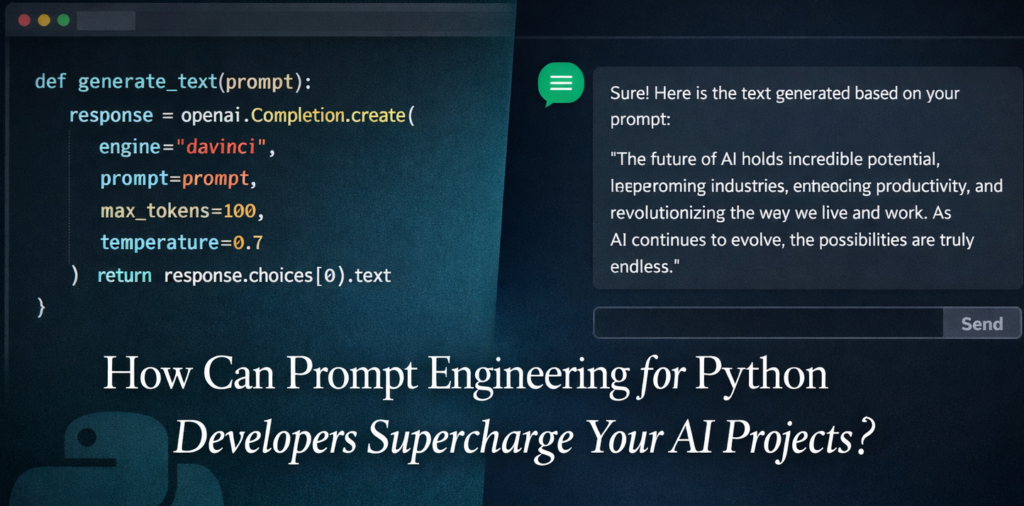
This guide is not a generic overview. It is a hands-on, code-first walkthrough designed specifically for developers who write Python for a living. By the end, you will know how to structure prompts, how to test them programmatically, and how to integrate them cleanly into production code.
What is prompt engineering and why does Python make it powerful?
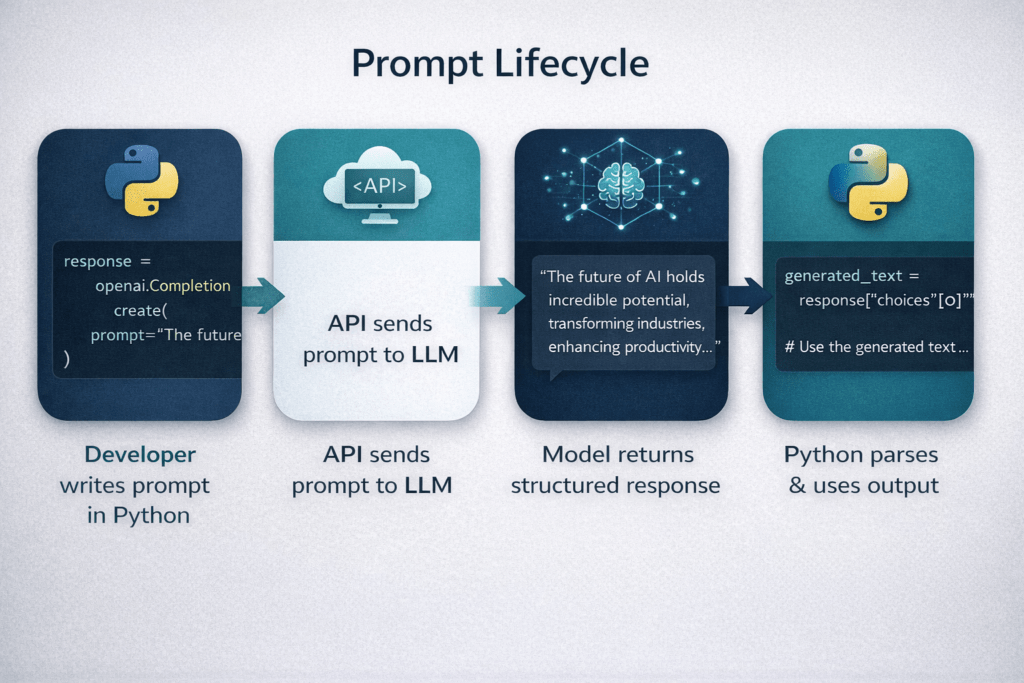
A prompt is the instruction you give an LLM. Prompt engineering is the practice of crafting that instruction so the model returns the most accurate, relevant, and useful response. Think of it as writing a very precise function signature -nexcept your function is a billion-parameter neural network.
Python is the dominant language in the AI ecosystem. Libraries like openai, anthropic, LangChain, and LlamaIndex are Python-first. This means prompt engineering for Python developers is not just about writing better sentences – it is about building testable, reusable, version-controlled prompt systems inside actual software.
Core techniques every Python developer should know
1. Zero-shot and few-shot prompting
Zero-shot prompting asks the model to do something with no examples. It works for simple tasks but breaks down for complex or domain-specific ones. Few-shot prompting solves this by including two to five example input-output pairs directly in the prompt. In Python, you can build this dynamically:
examples = [
    {"input": "Translate to French: Hello", "output": "Bonjour"},
    {"input": "Translate to French: Thank you", "output": "Merci"},
]

def build_few_shot_prompt(new_input: str) -> str:
    shots = "\n".join(
        f"Input: {e['input']}\nOutput: {e['output']}" for e in examples
    )
    return f"{shots}\nInput: {new_input}\nOutput:"
This pattern is the foundation of prompt engineering for Python developers – keeping prompts data-driven and composable, not hardcoded strings scattered across files.
2. System prompts and role assignment
Most LLM APIs separate prompts into a system message and a user message. The system message defines the model’s persona and constraints. Treat it like a configuration file:
system_prompt = """
You are a senior Python engineer reviewing code for production readiness.
Return only JSON with keys: 'issues' (list), 'severity' (low/medium/high), 'suggestion' (str).
"""
Defining role, output format, and constraints in the system prompt dramatically reduces hallucinations and format violations – especially critical when your Python code needs to parse the response.
3. Chain-of-thought prompting
For reasoning-heavy tasks, adding the phrase “Think step by step before giving your final answer” can lift accuracy significantly. In Python, this means your prompt template includes a reasoning scratchpad section before the final answer block. You can then strip the scratchpad from the parsed output before serving it to downstream logic.
4. Output formatting with structured schemas
One of the most practical patterns in prompt engineering for Python developers is forcing JSON output and validating it with Pydantic:
from pydantic import BaseModel
import json

class SummaryResponse(BaseModel):
    summary: str
    keywords: list[str]
    sentiment: str

raw = call_llm(prompt)          # returns JSON string from LLM
data = SummaryResponse(**json.loads(raw))
This makes your LLM calls as reliable as any other API endpoint in your stack.
Explore the coding skills AI still can’t replace and why they matter more than ever.
Building a reusable prompt management system
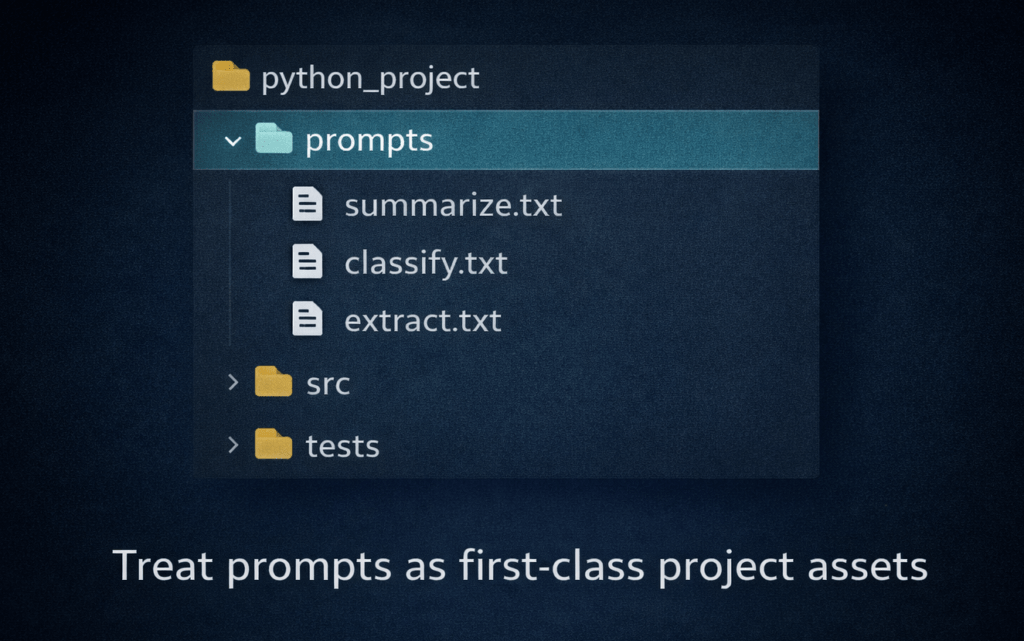
As your project grows, hardcoded prompt strings become a maintenance nightmare. The solution is to treat prompts like templates – stored in version control, loaded at runtime, and tested independently.
from pathlib import Path
from string import Template

def load_prompt(name: str, **kwargs) -> str:
    tmpl = Path(f"prompts/{name}.txt").read_text()
    return Template(tmpl).substitute(**kwargs)
Store your prompt files in a prompts/ directory alongside your source code. This separates concerns: engineers iterate on logic, while prompt designers (or you, wearing a different hat) refine language — all without touching application code.
Image 2 — inside blog, after prompt management section
Testing prompts like code
This is where prompt engineering for Python developers diverges sharply from what most guides teach. Prompts should have automated tests. Use pytest and record expected outputs against a fixed model version:
def test_sentiment_prompt():
    response = call_llm(load_prompt("sentiment", text="I love this product!"))
    assert response["sentiment"] == "positive"
Pin your model version (e.g. gpt-4o-2024-11-20) in tests so a model update does not silently break your pipeline. Log prompt versions with your experiment tracking tool – MLflow and Weights & Biases both support custom metadata for this.
Common pitfalls and how to avoid them
- Vague instructions: “Summarise this” gives random lengths. Specify: “Summarise in exactly 3 bullet points.”
- No output schema: Without a format constraint, even a good prompt produces inconsistently structured output that breaks your parser.
- Ignoring token limits: Long prompts are expensive. Compress few-shot examples and truncate large context strings before sending.
- No retry logic: LLMs occasionally return malformed JSON. Wrap your API calls with exponential backoff and a validation fallback.
💡 A good rule of thumb: if you cannot write a unit test for your prompt, it is not specific enough yet.
Tools that make prompt engineering for Python developers easier
The ecosystem for prompt engineering for Python developers has matured rapidly. Here are the most widely adopted tools in 2025:
- LangChain – prompt templates, chaining, and agent orchestration
- LlamaIndex – RAG pipelines with built-in prompt management
- PromptFlow (Azure) – visual prompt debugging and evaluation
- Instructor – structured outputs from any LLM using Pydantic
- DSPy – programmatic prompt optimisation by Stanford NLP
You do not need all of them. For most projects, the Anthropic or OpenAI SDK plus Pydantic plus a simple template loader covers 90% of use cases.
Conclusion
Mastering prompt engineering for Python developers is about bringing engineering discipline to what might otherwise be a chaotic, trial-and-error process. Store your prompts in version control. Validate your outputs with schemas. Write tests. Instrument your calls. When you treat prompts with the same rigour you would apply to any other piece of production code, the results – and the reliability – improve dramatically.
The LLM is just another dependency in your stack. Prompt engineering is how you write a clean interface to it.
Learn More, Learn New with Newtum.
About The Author