The fear is real. GitHub Copilot autocompletes your functions. Claude drafts entire modules. ChatGPT refactors your messy class in seconds. And every week, a new headline screams that AI is coming for developer jobs.
But here’s what those headlines miss: the developers who will thrive in the next decade aren’t the ones who avoid AI, they’re the ones who become AI-augmented developers.
An AI-augmented developer doesn’t compete with AI. They direct it, verify it, extend it, and ultimately produce output that neither the human nor the AI could have created alone. This blog shows you exactly how to make that shift across five practical dimensions of your daily work.
What Does It Mean to Be an AI-Augmented Developer?
An AI-augmented developer is someone who treats AI tools as a permanent layer of their workflow not a shortcut to use occasionally, but an active collaborator that handles cognitive grunt work so the developer can focus on architecture, judgment, and creative problem-solving.
This is fundamentally different from “using AI to write code faster.” Speed is a side effect. The real transformation is in scope: an AI-augmented developer can take on tasks and systems that would have been beyond their individual bandwidth just two years ago.
Think of it like power steering in a car. You’re still driving. You still decide where to go, when to brake, and when to take the back roads. But the machine handles the physical load so your hands can remain precise and your mind can stay on the journey ahead.
1. AI Pair Programming: Your Always-On Coding Partner
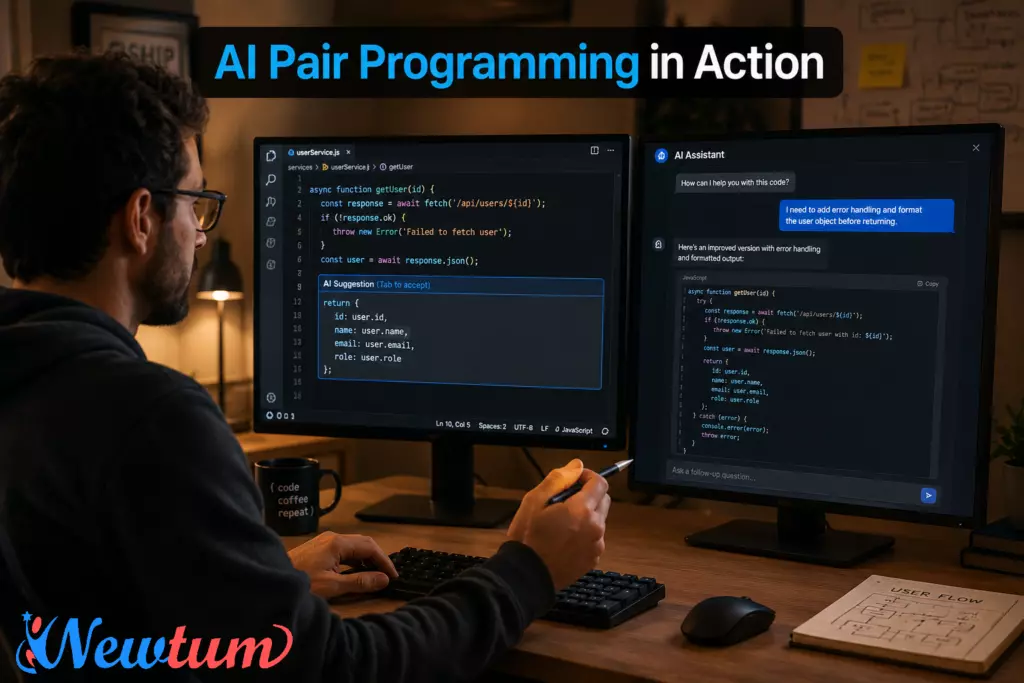
Traditional pair programming required two developers — one to write, one to review and think aloud. Most teams can’t afford that luxury full-time. As an AI-augmented developer, you now have access to a 24/7 pair programmer who never gets tired, never judges your half-formed idea, and can hold the entire codebase context in mind simultaneously.
What this looks like in practice
When you sit down to implement a new feature, instead of starting from a blank file, you open a conversation with your AI assistant alongside your IDE. You describe the intent, constraints, and edge cases you’re thinking about. The AI surfaces a first draft. You read it — not to copy it, but to think against it. You spot what it missed. You push back. The dialogue sharpens your implementation before a single test is written.
Tools like GitHub Copilot, Cursor, and Claude Code have made AI pair programming a production reality. The key skill of an AI-augmented developer here isn’t prompt crafting — it’s critical reading. You need to be fast at identifying what looks right but is subtly wrong.
Pro habit: Before accepting any AI-suggested function, ask yourself: “Do I understand every line well enough to explain it in a code review?” If the answer is no, ask the AI to explain it, then decide.
2. Rapid Prototyping: Ship Ideas 10× Faster Without Cutting Corners
One of the most concrete advantages of becoming an AI-augmented developer is the dramatic compression of the prototyping phase. Work that once took three days of boilerplate setup — scaffolding a REST API, wiring up authentication, connecting a database schema — now takes an afternoon.
The right way to use AI in prototyping
Speed without structure is just faster chaos. The AI-augmented developer uses AI to generate the skeleton while they own the design decisions:
- You define the architecture. You decide on the folder structure, state management approach, and API contract. Let AI fill in the implementation.
- You write the spec, AI writes the stub. Describe a function’s inputs, outputs, and expected behaviors in plain language. Use the AI output as a draft, not a final answer.
- You validate the prototype against real requirements. AI doesn’t know your user’s actual pain points. That judgment belongs to you.
A practical workflow for rapid prototyping as an AI-augmented developer:
- Write a short brief (3–5 sentences) describing what you’re building and why.
- Use the AI to generate a working scaffold.
- Immediately write a thin test layer — even just happy-path assertions.
- Iterate based on what breaks, not what the AI suggests next.
This approach lets you reach a “working thing on screen” state within hours rather than days — which means you get real feedback sooner, kill bad ideas faster, and make confident architectural decisions earlier in the project lifecycle.
3. Testing AI Output: The Skill That Separates Good Developers From Irreplaceable Ones
This is where most developers underinvest — and where being an AI-augmented developer creates the sharpest competitive edge.
AI-generated code is plausible, not necessarily correct. It reads well. It looks idiomatic. It often even passes surface-level review. But it can fail silently on edge cases, misunderstand your data constraints, or introduce logic errors that only surface in production at 2 AM.
Your testing framework for AI output
- Layer 1 — Intention check.
Before running any AI code, read it against your original intent. Does it actually do what you asked? AI tools are confident by default. Confidence is not correctness. - Layer 2 — Edge case probing.
Identify the inputs the AI probably wasn’t given in your prompt. Empty arrays, null values, extremely large integers, concurrent requests — feed these to the AI-generated function and watch what happens. - Layer 3 — Security and side-effect audit.
Does the AI output make any network calls, file writes, or database mutations you didn’t expect? Does it handle credentials safely? Run a mental threat model before anything touches production. - Layer 4 — Test-driven validation.
Write unit tests for the AI-generated module as if you were testing a junior developer’s first PR. If you can’t write a test for it, you don’t understand it well enough to ship it.
An AI-augmented developer doesn’t save time by skipping testing — they reclaim that time from the writing phase so they can spend it properly on verification.
4. Automating Repetitive Tasks Without Going on Autopilot
Repetitive work is where AI’s ROI is most immediate and most obvious. Writing boilerplate database migrations, generating TypeScript interfaces from JSON schemas, formatting API responses, writing JSDoc comments, converting functions between languages — these are tasks where AI-augmented developer workflows genuinely save hours every week.
Build a personal automation stack
The best AI-augmented developers don’t just use AI reactively. They map out their weekly friction points and build intentional automations:
| Repetitive Task | AI Approach |
|---|---|
| Writing unit test skeletons | Prompt with function signature + behavior description |
| Documenting functions | Give AI the function, ask for JSDoc with examples |
| Code review prep | Ask AI to list likely reviewer concerns before submitting |
| Regex generation | Describe the pattern in plain English |
| Changelog entries | Feed AI the git diff, ask for human-readable summary |
| Schema migrations | Describe the old and new shape, let AI draft the migration |
The important discipline here: automate the task, own the output. Every AI-generated migration, comment, or test you ship is your responsibility. Automation removes the effort of creation, not the obligation of review.
5. Using AI Without Losing Your Fundamentals
This is the tension at the heart of becoming an AI-augmented developer — and the most important section in this blog.
There is a real risk: if you rely on AI to generate every SQL query, every regex, every algorithm, you will gradually stop being able to write them yourself. The skill atrophies. And when the AI is wrong in a subtle way, you won’t be able to catch it, because you’ve lost the reference point.
The fundamentals you must protect
- Data structures and algorithms. AI can implement a binary search tree. Can you evaluate whether that’s the right structure for your use case?
- System design intuition. AI can scaffold a microservice. Can you decide whether you needed one in the first place?
- Debugging from first principles. AI can suggest fixes. Can you trace a memory leak or a race condition without it?
- Reading unfamiliar code. AI can summarize any codebase. But can you form your own architectural understanding before reading the summary?
The deliberate practice rule
An AI-augmented developer practices fundamentals deliberately and separately from productivity work. A practical structure:
- During work: Use AI freely. Maximize throughput.
- During learning: Turn AI off. Solve algorithm problems by hand. Read documentation cold. Trace bugs without assistance first.
This isn’t about proving something to yourself. It’s about maintaining the mental model depth that makes your AI-augmented output genuinely excellent rather than just fast.
The Mindset Shift That Changes Everything
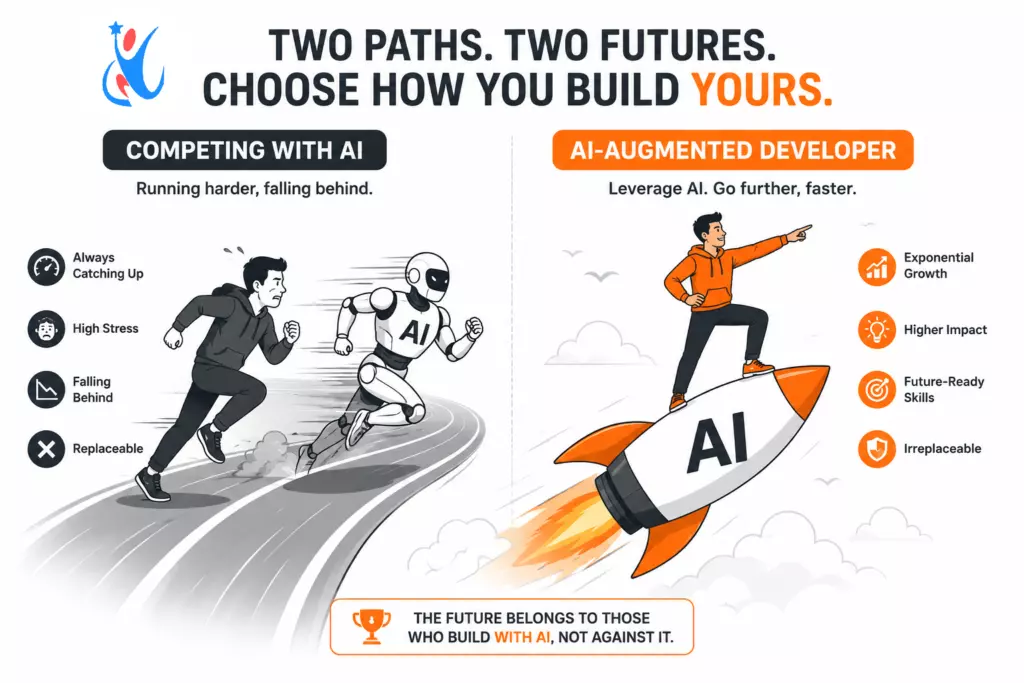
Most developers approach AI as a shortcut. The AI-augmented developer approaches AI as leverage.
Shortcuts save time on the current task. Leverage multiplies what you’re capable of across every future task. Shortcuts make you faster at doing the same things. Leverage lets you tackle entirely new categories of problems.
When you stop asking “How do I get AI to do this for me?” and start asking “How do I use AI to do things that weren’t possible for me before?” — you’ve made the shift. That’s when the competition anxiety dissolves. You’re not competing with AI. You’re competing with developers who haven’t made this shift yet.
Conclusion: The Window Is Open But Not Forever
The gap between developers who have become AI-augmented developers and those who haven’t is widening fast. The good news: you don’t need to master every AI tool on the market. You need to master the workflow pair programming with intent, prototyping with structure, testing with rigor, automating with ownership, and learning with discipline.
Start with one section from this blog. Pick the area where you feel the most friction right now, whether that’s rapid prototyping or validating AI output, and restructure that part of your workflow this week. The compounding effect of becoming a true AI-augmented developer is not a distant promise. It shows up in your output quality within days.
The developers who define the next era of software won’t be those who wrote code the fastest. They’ll be the ones who know exactly when to trust the AI, when to question it, and when to take the wheel entirely.
That developer is you — if you choose to become one.
Want to sharpen your AI collaboration skills further? Explore hands-on developer tools and coding resources at Newtum — built to help developers grow faster in the age of AI.
About The Author