Data types in C++ define the kind of data a variable can store, such as integers, floating-point numbers, or characters. They help the compiler allocate memory and ensure data accuracy during program execution.
Choosing the correct data type isn’t just about syntax—it’s about optimizing performance and preventing logical errors. In today’s coding world, where efficiency and speed matter, mastering C++ data types can make your programs faster and more reliable.
Key Takeaways of Data Types in C++
- Primary Data Types: int, float, char, double, bool
- Derived Data Types: array, pointer, reference, function
- User-defined Data Types: struct, class, enum, union
- Importance: Defines memory use, precision, and data integrity
What Are Data Types in C++?
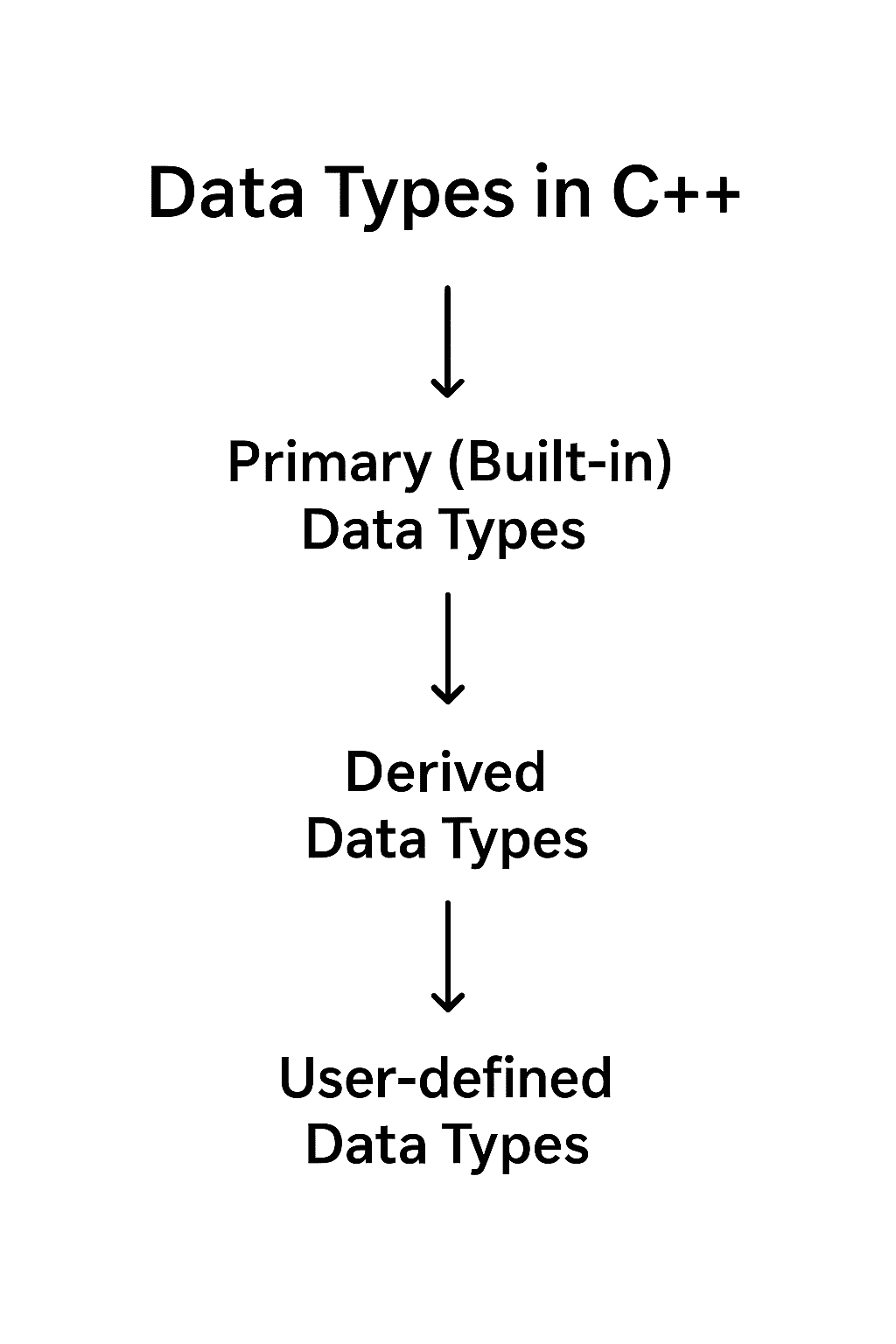
In C++, data types define the nature of data that a variable can hold. They tell the compiler how much memory to allocate and how to interpret stored values. Without data types, C++ cannot distinguish between a number, a character, or a decimal value.
For example:
int age = 25;
float price = 19.99;
char grade = 'A';
Here, int, float, and char each represent a specific data type that determines how values are stored and processed.
Purpose:
- Ensure memory efficiency
- Maintain data integrity
- Enable type checking to avoid logical and runtime errors
Types of Data Types in C++
C++ offers three main categories of data types — Primary (Built-in), Derived, and User-defined. Together, these form the foundation of every C++ program.
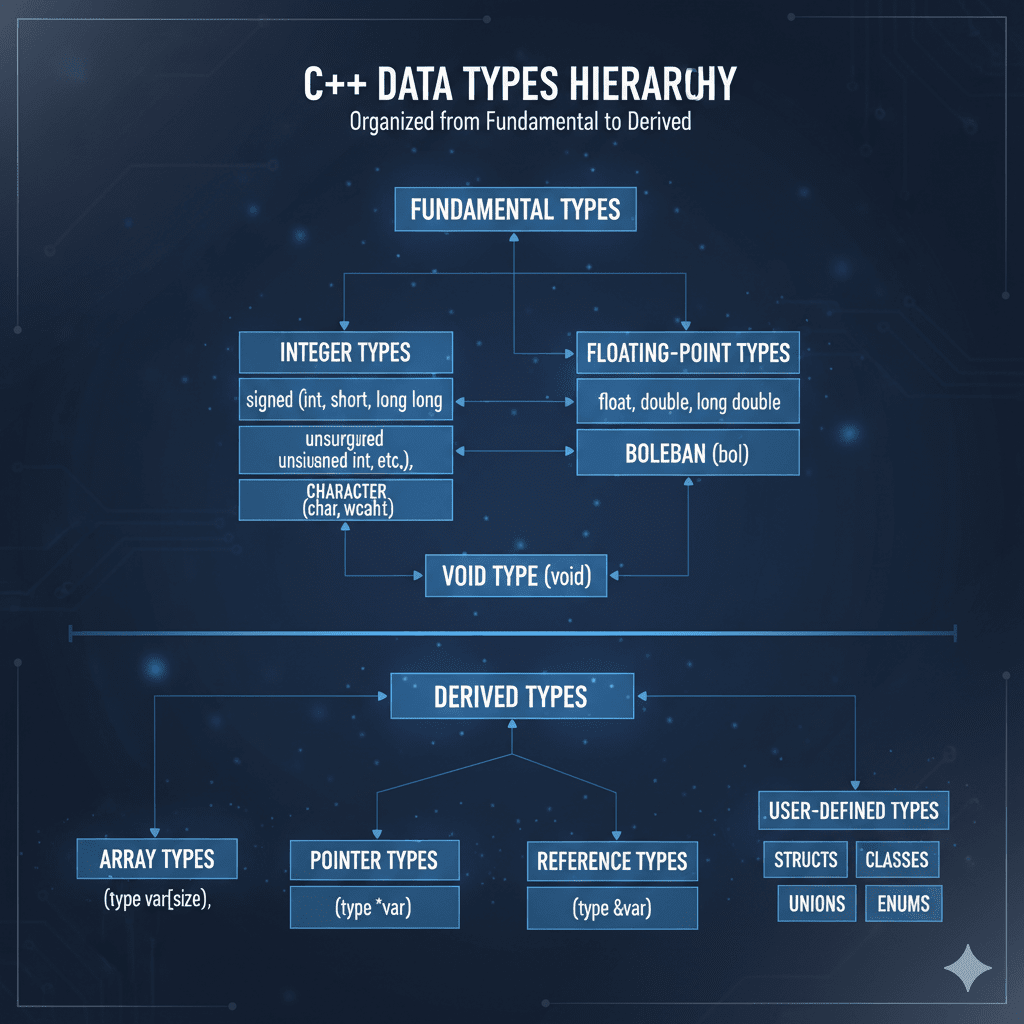
Primary (Built-in) Data Types
Primary or basic data types are predefined in C++. These include:
| Data Type | Description | Example |
|---|---|---|
int | Stores integers without decimals | int count = 10; |
float | Stores single-precision decimals | float rate = 3.14; |
double | Stores double-precision decimals | double pi = 3.14159; |
char | Stores single characters | char grade = 'A'; |
bool | Represents true/false values | bool isActive = true; |
void | Used for functions that return nothing | void showMessage() |
Derived Data Types
Derived data types are created using primary data types. These help structure complex data.
| Type | Description | Example |
|---|---|---|
| Array | Stores multiple values of the same type | int marks[5]; |
| Pointer | Stores memory address of another variable | int *ptr; |
| Reference | Acts as an alias for another variable | int &ref = value; |
| Function | Performs operations and may return a value | int sum(int a, int b); |
User-defined Data Types
C++ allows developers to create their own data types for better control and abstraction.
| Type | Description | Example |
|---|---|---|
| struct | Groups different data types under one name | struct Student {int id; char name[20];}; |
| class | Similar to struct, but includes data and functions | class Car { public: int speed; void drive(); }; |
| enum | Defines a set of named integer constants | enum Days {Mon, Tue, Wed}; |
| union | Shares memory among multiple members | union Data {int i; float f;}; |
Memory Size and Range of Data Types in C++
Memory usage depends on the compiler and system architecture (16-bit, 32-bit, or 64-bit). The table below shows common values (on a 32-bit system):
| Data Type | Size (Bytes) | Range |
|---|---|---|
char | 1 | -128 to 127 |
short int | 2 | -32,768 to 32,767 |
int | 4 | -2,147,483,648 to 2,147,483,647 |
unsigned int | 4 | 0 to 4,294,967,295 |
float | 4 | ±3.4E−38 to ±3.4E+38 |
double | 8 | ±1.7E−308 to ±1.7E+308 |
bool | 1 | true or false |
Knowing these ranges helps you choose the most memory-efficient data type for your application.
How to Use Data Types Effectively in C++
Efficient data type selection can improve performance and prevent bugs. Here’s how:
- Use
floatordoublecarefully: Usefloatfor low precision,doublefor high precision calculations. - Prefer
unsignedfor non-negative numbers: Saves memory and expands range. - Avoid mixing data types: Mixing
intandfloatcan lead to unexpected conversions. - Use custom structs/classes to organize complex data logically.
Example:
struct Product {
    int id;
    float price;
    char name[30];
};

int main() {
    Product p1 = {101, 499.99, "Keyboard"};
    cout << "Product: " << p1.name << " | Price: " << p1.price;
    return 0;
}
Output:
Product: Keyboard | Price: 499.99This example shows how combining multiple data types through a struct improves data organization and readability.
Comparison of Data Types in C++
| Data Type | Memory | Precision | Use Case |
|---|---|---|---|
| int | 4 bytes | Medium | Counting, indexing |
| float | 4 bytes | Moderate | Decimal values |
| double | 8 bytes | High | Scientific calculations |
Real-Life Uses of Data Types in C++
- Google’s Search Engine Optimisation
Google uses C++ for its high-performance search algorithms. Since data types in C++ are tightly controlled, they enable efficient memory management and speed, which is crucial when you’re handling billions of search queries daily.
Google achieves quick processing and minimal resource use, ensuring users get swift search results.int numberOfQueries = 1000000000;
double queryTimeInSeconds = 0.123;
char searchQuery[10] = "coding"; - Adobe’s Graphics Software
Adobe products, like Photoshop, utilise C++ for rendering complex graphics through its efficient handling of various data types, ensuring faster processing of large image files.float imageHeight = 1920.5f;
float imageWidth = 1080.25f;
bool isTransparent = true;
By accurately managing image data and resources more efficiently, Adobe provides smooth, high-quality graphic editing experiences. - Microsoft’s Excel Computations
Microsoft uses C++ for its complex computational models in Excel. Different data types process numerical data effectively for calculations, allowing users to handle large datasets seamlessly.
With such precision in data processing, Excel handles extensive numerical operations fast and accurately.long dataRows = 1048576;
float cellValue = 56.78f;
char currencySymbol = '£';
Interview on C++ Types
When diving into the world of C++ programming, you’ll come across plenty of queries about data types. To give you a better grip on this topic, here are some of the most commonly asked questions, not covered widely by popular sites. Let’s dig in:
- What’s the difference between `int` and `unsigned int` in C++?
An `int` can store both negative and positive values, while an `unsigned int` can only hold non-negative values. This means no negative numbers allowed.int x = -10; // Valid
unsigned int y = -10; // Invalid
2. How can you determine the size of a data type in C++?
Using the `sizeof()` operator, you can find out the amount of memory a data type occupies.
std::cout << "Size of int: " << sizeof(int) << " bytes";3. What’s the role of `bool` in C++?
A `bool` type stores boolean values: `true` or `false`, making it useful for control-flow decisions.
4. Can you use `char` to store multiple characters?
Nope, `char` only holds a single character. For multiple characters, you’d need a `char` array or a `string`.
5. Which data type would you use for precise floating-point arithmetic?
Use `double` for more precision over `float`. It offers a broader range.
6. Why is `nullptr` preferred over `NULL` in modern C++?
`nullptr` is a keyword and type-safe, while `NULL` is just an integer constant `(0)`.
7. What is the purpose of a `void` type?
The `void` type indicates no value, commonly used for functions that don’t return any value.
8.Why might you choose `long` over `int`?
Opt for `long` when you need a larger range of values than what `int` can provide, especially on systems where they differ in size.
Our AI-powered cpp online compiler revolutionises your coding experience! Instantly write, run, and test your code with the help of AI. Whether you’re perfecting a complex algorithm or just getting started, this tool makes it swift, streamlined, and downright exciting. Try it and transform your coding process!
Conclusion
Mastering ‘Data Types in C++’ empowers learners with a solid foundation essential for efficient coding. Dive into the diverse programming world yourself; the knowledge gained offers immense satisfaction and practical advantages. Discover more exciting programming languages like Java and Python through Newtum.
Edited and Compiled by
This article was compiled and edited by @rasikadeshpande, who has over 4 years of experience in writing. She’s passionate about helping beginners understand technical topics in a more interactive way.
About The Author